Pro
AI integration

Connect the systems you already run to artificial intelligence

Plug AI into your CRM, Telegram, website, ERP or internal systems and bring enquiries, data and repetitive tasks together into one flow.

CRM and ERPTelegram and websiteAPI and webhooks
See what can be integrated
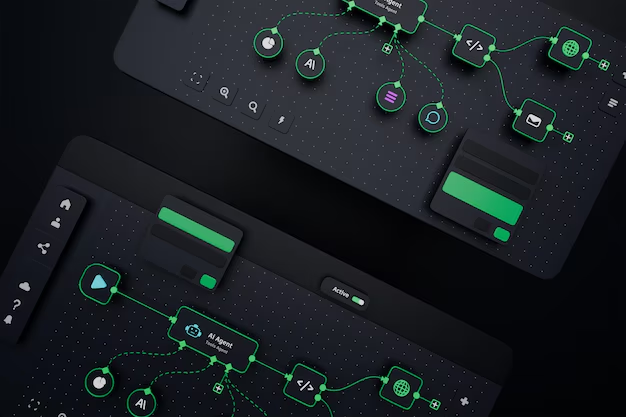
Integration diagram connecting various business systems to artificial intelligence
What it is

How does AI integration work in a business?

AI integration means using artificial intelligence inside the systems your team already works in, rather than as a tool of its own. Nobody opens a new application: they carry on using their CRM, Telegram or website, and the AI works inside that flow.

AI takes information in and passes it to the right system

From an incoming message, form or file, the relevant details are extracted, labelled by topic and urgency, and written into your CRM, spreadsheet or internal system as a finished record.

This direction cuts down manual re-typing: staff no longer enter data, they review and confirm it.

AI answers and assists using the data you already have

AI finds the answer in the client history in your CRM, the catalogue on your site or your internal documents, and returns it to whoever asked. Beneath the answer it shows which source it drew on.

This direction shortens the wait for an answer and stops the same question getting different answers.

A concrete example

A request from your website can be triaged by AI, created in the CRM as a lead and sent to the right manager. The manager gets the notification in Telegram, while the lead itself keeps both the customer's own words and the labels the AI applied.

Systems

Which systems can AI work with?

The eight directions we are asked for most are below. Each row shows what gets connected, what the AI does, and which working process it helps.

  • CRM

    What the AI does

    Sorts an incoming lead by topic, drafts a note for the manager based on the client's history and opens a task for the next step.

    Which process it helps

    In sales: the manager picks the conversation up rather than starting from nothing, because the context is already gathered.

  • Telegram

    What the AI does

    Answers first-line questions, routes the enquiry to a department or an owner, and hands the conversation to an operator when needed.

    Which process it helps

    In customer service: an enquiry arriving out of hours does not go unanswered and sits in an orderly queue by morning.

  • Website

    What the AI does

    Answers questions in the chat window, checks what came through a form and follows up on incomplete requests.

    Which process it helps

    At first contact: the customer is not left waiting, and the consultation starts with fuller information.

  • ERP or warehouse

    What the AI does

    Answers questions about orders, products and statuses from the system's current data.

    Which process it helps

    In operations: staff find out stock levels and order status without calling the warehouse.

  • Google Sheets

    What the AI does

    Processes the data in a sheet, prepares a summary, or fills new rows according to rules you set.

    Which process it helps

    In reporting: the sheet does not have to be filtered by hand — the answer comes back directly.

  • Email

    What the AI does

    Sorts incoming mail into categories and prepares draft replies.

    Which process it helps

    At the front desk: staff start from a draft rather than a blank page and simply edit and send.

  • Knowledge base

    What the AI does

    Finds answers in internal documents, policies and instructions, and shows which document it relied on.

    Which process it helps

    Internally: a new starter finds the answer without asking a colleague, and the answers come out consistent.

  • Custom API

    What the AI does

    A dedicated connection is written for your internal system, and the AI reads from it or writes to it.

    Which process it helps

    Where an off-the-shelf option does not fit: a new step is added to the existing system without replacing it.

AI layer
CRM
Telegram
Sayt
ERP / ombor
Google Sheets
E-mail
Bilimlar bazasi
Custom API

AI layer: CRM, Telegram, Sayt, ERP / ombor, Google Sheets, E-mail, Bilimlar bazasi, Custom API

Pricing

What does the price of an AI integration depend on?

The current tiers are below. Each tier's contents are shown in full — the first items are open and the rest expand with the "Full contents" button.

Standard

Basic AI analytics solution

10,000,000 UZS

Who it suits

Teams starting from one specific task: core analysis, a web interface and an API connection.

  • Data analysis
  • Basic forecasting models
  • Statistical analysis
  • Basic visualization
  • Web interface
  • API integration
  • Basic reports

Premium

Professional AI analytics solution

15,000,000 UZS

Who it suits

Businesses that need connections to existing systems, interactive dashboards and an admin panel.

  • Everything in the Standard plan
  • Advanced forecasting models
  • Anomaly detection
  • Extended visualization
  • Interactive dashboards
  • Integration with existing systems
  • Extended reports and analytics

Premium+

Enterprise AI analytics solution

25,000,000 UZS

Who it suits

Companies with enterprise systems that need custom APIs and a high level of security.

  • Everything in the Premium plan
  • Deep learning models
  • Real-time analysis
  • Enterprise system integration
  • Custom APIs and integrations
  • High level of security
  • Server built for high load

Factors that shape the quote

  • How many systems are being integrated
  • Whether the system offers an API or webhooks
  • How complex the CRM or ERP structure is
  • How many AI agent or chatbot scenarios are needed
  • The volume of data sources and knowledge base
  • User roles and access levels
  • Security and confidentiality requirements
  • Testing, monitoring and the length of ongoing support

A tier may not match your situation exactly — in that case we adjust the contents in the direction you need and issue a separate quote. We do not run discounts or time-limited offers: the price follows the scope of work.

All pricing
Process

We deliver an AI integration in six stages

Each stage ends with a concrete result you review and approve, so nothing unexpected turns up at the end of the project.

  1. 01

    Audit — we study your systems and the business task

    We establish which systems are running, whether they can exchange data at all, and which task is taking the most time.

    What you end up withA list of your existing systems and a written assessment of what is technically possible

  2. 02

    Architecture — we plan where and how the AI will work

    We decide at which step the AI appears, what it settles on its own and when it hands over to a person.

    What you end up withAn integration diagram and an explicit "the AI does not do this" list

  3. 03

    APIs and data flow — we prepare the link between systems

    We set up the connection points and agree in which direction and in what order data moves.

    What you end up withA working connection and a data flow document

  4. 04

    Development — we build the integration, agent or bot features

    We implement the agreed scenarios and hand over interim versions for you to review.

    What you end up withA version you can try

  5. 05

    Testing — we check real scenarios, errors and limits

    A set of real questions is assembled, answers are assessed against it, and edge cases are tested separately.

    What you end up withA set of test scenarios and the results of running them

  6. 06

    Monitoring and support — we launch, observe and refine

    We put the solution live, watch the request log and keep tuning it against the questions that come in.

    What you end up withA live integration, a monitoring view and a support contact

The audit is a separate stage for a reason: some systems offer no way to exchange data at all. If that turns out to be the case, we say so openly before going further and show the alternatives.

Connection methods

We connect AI in the way your setup allows

The connection method depends on what your system can do. Each one below is explained in plain language, along with when it gets chosen.

In practice most projects use several methods together: the Telegram Bot API for the channel, webhooks for events and an API for writing into the CRM. Which combination you need is settled during the audit.

Approaches

Which approach fits you?

AI integration is not always the right answer. Below, four options sit side by side against the same four criteria — including "do nothing for now".

Related services

Services that may be needed alongside an AI integration

An integration needs two sides: the AI part and the system it connects to. The services below cover both.

Questions

Frequently asked questions about AI integration

The questions we are asked most often before a project starts, answered directly.

AI integration means using artificial intelligence inside the systems you already work in, rather than as a separate program. Nobody opens a new window: they carry on in their CRM, Telegram or website, and the AI is added as one step in that flow.

Useful Articles

Worth Reading on This Topic

Before making a decision, these articles may answer your questions.

We start connecting AI to your systems with an audit

In a short conversation we go through your existing CRM, website, Telegram, ERP or internal systems. We then prepare a technical approach for the AI integration and a project proposal.

Discuss an AI integration